
Download NBTExplorer – free Minecraft NBT editor, data manager, and region file tool
Overview
NBTExplorer is a powerful, open‑source graphical editor for Minecraft’s Named Binary Tag (NBT) format. Developed by a seasoned software engineer with a deep passion for Minecraft modding, the utility offers a low‑level yet user‑friendly interface that lets players inspect, modify, and repair any NBT‑based file—whether it’s a player.dat, level.dat, or the massive .mcr/.mca region files that store world chunks. Because the program is free and released under an MIT‑style license, there are no hidden paywalls, subscription fees, or feature‑gating restrictions; everything you need is available from the moment you download it.
The tool runs on Windows, macOS, and Linux (via the Mono runtime), making it a versatile companion for anyone who builds, tweaks, or troubleshoots Minecraft worlds. Whether you’re a casual builder who wants to change the spawn point of a structure, a map creator needing to batch‑edit entity data, or a server admin repairing corrupted region files, NBTExplorer provides a reliable, secure, and constantly updated solution. Its design respects the native look of each operating system, delivering a natural user experience on macOS (10.7+), while Windows users benefit from a familiar Explorer‑style layout.
By offering direct access to the raw NBT data, NBTExplorer empowers users to push the limits of what Minecraft can do without compromising the integrity of the original files.
Key Features
- Full support for Minecraft .mcr (region) and .mca (Anvil) files, allowing bulk editing of world chunks.
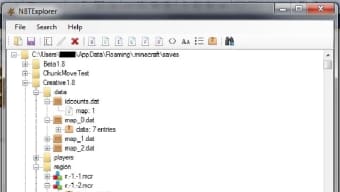
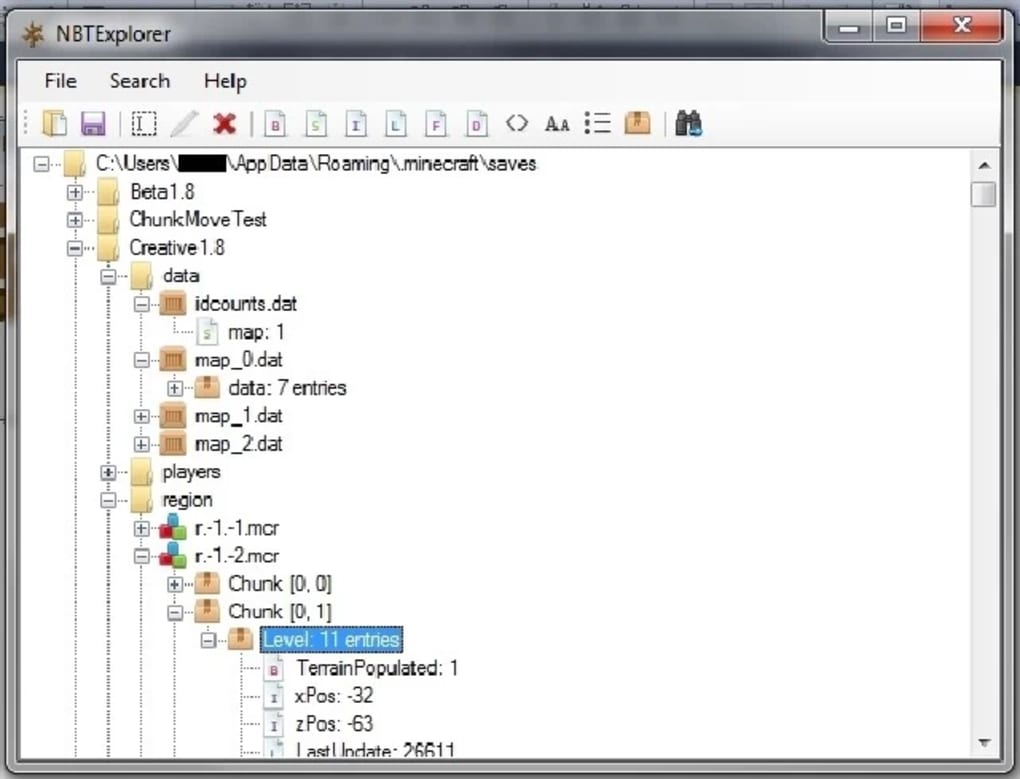
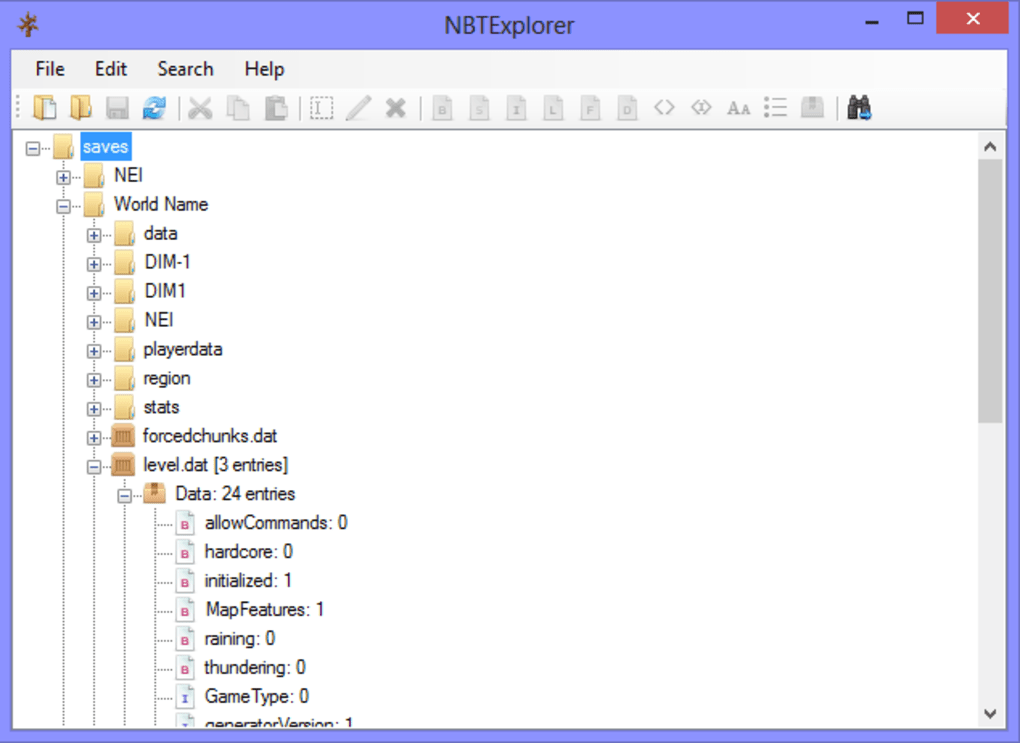
- Intuitive tree‑view navigation that mirrors the structure of NBT tags, making complex data easy to read.
- Hexadecimal and decimal value editing for every tag type, including byte, short, int, long, float, double, and arrays.
- Search and filter capabilities that let you locate specific entities, items, or coordinates across large files.
- Undo/redo stack for safe experimentation without fear of permanent changes.
- Export and import functions to move edited NBT data between worlds or share with other players.
- Cross‑platform compatibility: native Windows installer, macOS bundle (10.7+), and Linux support via Mono.
- Automatic detection of the latest NBT standard, ensuring compatibility with recent Minecraft updates.
- Open‑source codebase on GitHub, enabling community contributions, bug fixes, and transparent security audits.
- Lightweight footprint (under 30 MB) and zero‑ads experience, keeping the focus on editing rather than distractions.
Installation & Compatibility
Step‑by‑step installation
Windows: Download the .exe installer from the official GitHub releases page. Run the file, follow the wizard prompts, and accept the default installation folder (usually C:\Program Files\NBTExplorer). After installation, you can launch the program from the Start menu or a desktop shortcut. No additional runtime is required because the Windows build bundles the .NET framework dependencies.
macOS: Grab the .dmg package, open it, and drag the NBTExplorer app into your /Applications folder. macOS 10.7 or later is required; earlier versions will not run due to missing system libraries. Before launching, ensure GateKeeper permits apps from identified developers: open System Preferences → Security & Privacy → General and select “App Store and identified developers.” If you encounter the “OSStatus error -67053,” it indicates GateKeeper is still blocking the signed binary—disable the quarantine flag by running sudo spctl --master-disable in Terminal, then try again.
Linux: Download the .zip archive containing the Mono‑based executable. First, install the Mono runtime (sudo apt-get install mono-complete on Debian/Ubuntu or sudo dnf install mono-devel on Fedora). Extract the archive, make the NBTExplorer.exe file executable (chmod +x NBTExplorer.exe), and start it with mono NBTExplorer.exe. Because Linux relies on Mono, performance may be slightly slower than native builds, but functionality remains identical.
Supported operating systems: Windows 7 and newer, macOS 10.7 – 13 (Ventura), and any Linux distribution capable of running the Mono runtime (including Ubuntu, Debian, Fedora, and Arch). The application does not support iOS or Android directly, as those platforms lack the necessary file‑system access for editing Minecraft NBT data.
After launching, you’ll see a familiar file‑browser pane on the left and a detailed tag view on the right. Use the “Open” menu to locate your world folder (typically .minecraft/saves/YourWorld) and start exploring. The first run may prompt you to allow network access for checking updates; this is optional but recommended to keep the editor secure and up‑to‑date.
Pros & Cons
What users love
- Completely free and open‑source: No hidden costs, and the code is transparent.
- Robust region file support: Handles both legacy
.mcrand modern.mcaformats. - Cross‑platform: Works on Windows, macOS, and Linux with consistent UI.
- Powerful search and filter tools: Quickly locate specific entities or items.
- Undo/redo safety net: Reduces fear of accidental data loss.
Areas for improvement
- macOS GateKeeper requirements can be confusing for novice users.
- Linux version depends on Mono, which adds an extra installation step.
- No built‑in backup manager; users must manually copy files before editing.
- Interface, while functional, feels slightly dated compared to modern Electron apps.
- Limited documentation beyond the GitHub README, making advanced features harder to discover.
Frequently Asked Questions
Is NBTExplorer safe to use on my saved worlds?
Yes. NBTExplorer only reads and writes the raw NBT data. As long as you follow best practices—such as backing up your world folder before making changes—the tool will not corrupt your save files. The built‑in undo/redo feature also helps revert accidental edits.
Can I edit player inventories with NBTExplorer?
Absolutely. Open the player.dat file inside your world’s playerdata folder, expand the Inventory list, and modify item IDs, counts, or NBT tags directly. This is a popular method for giving yourself rare items without using in‑game commands.
Do I need a Java installation to run NBTExplorer?
No. NBTExplorer is a native .NET/Mono application and does not depend on Java. It reads the NBT files produced by Minecraft, which are independent of the Java runtime.
How do I fix the “OSStatus error -67053” on macOS?
This error means GateKeeper is blocking the signed app. Open Terminal and run sudo spctl --master-disable to temporarily allow apps from any source, then launch NBTExplorer again. Remember to re‑enable GateKeeper afterward for security.
Is there a way to batch‑edit multiple region files?
Yes. Use the “Open Folder” option to load an entire .mca directory. NBTExplorer will list each region file, and you can apply the same edit across them by copying and pasting tag values or using the search‑replace functionality.
Conclusion & Call to Action
NBTExplorer stands out as the most reliable, free, and feature‑rich NBT editor available for Minecraft enthusiasts. Its cross‑platform support, deep region‑file handling, and straightforward UI make it an indispensable tool for anyone who wants to customize, troubleshoot, or enhance their worlds without relying on in‑game commands. While macOS GateKeeper quirks and the extra Mono dependency on Linux may pose minor hurdles, the benefits far outweigh these inconveniences. Whether you’re a map creator, server administrator, or a player looking to tweak a few items, NBTExplorer gives you the power to edit the raw data safely and efficiently.
Ready to take control of your Minecraft data? Download NBTExplorer now for Windows, macOS, or Linux and start exploring the hidden layers of your world today. Remember to back up your saves before making changes, and enjoy the freedom that an open‑source editor provides.







